

- Stock: Out of Stock
- Model: Gen_L

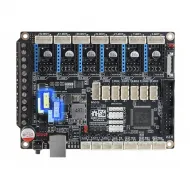
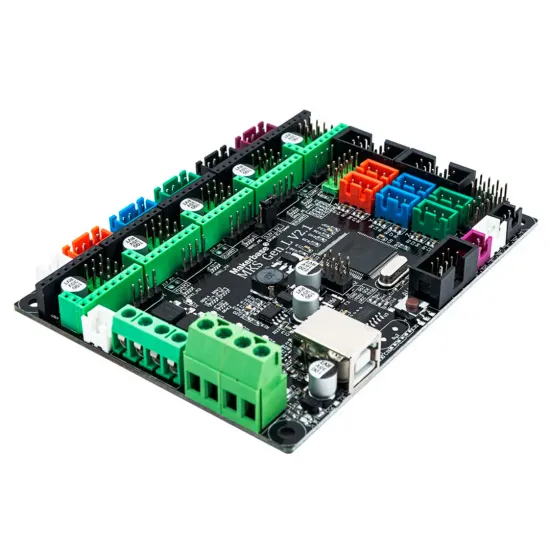
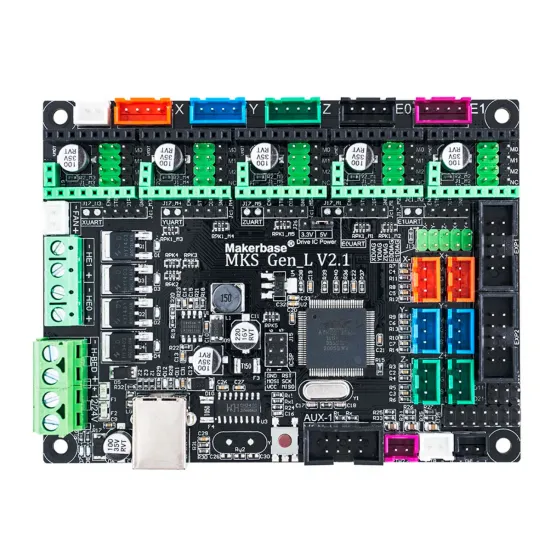
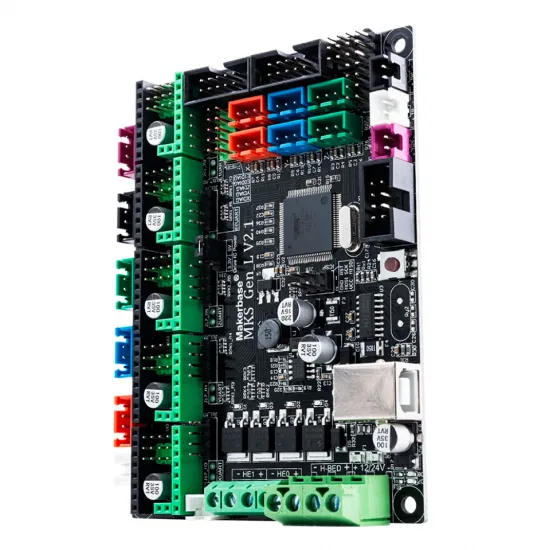
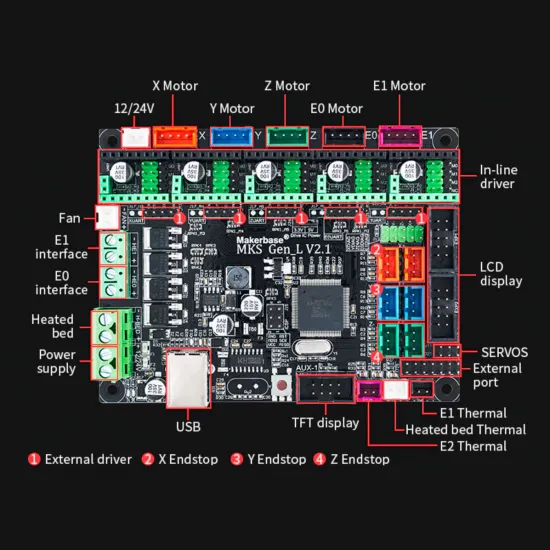
Makerbase MKS Gen_L V2.1 is an 8-bit FDM 3D-printer controller combining Arduino Mega 2560/RAMPS-style architecture on one PCB. It provides five X, Y, Z, E0 and E1 driver sockets, USB, endstop and temperature-sensor inputs, outputs for a bed, two hotends and a fan, and display connectors. The PCB silkscreen identifies this unit as revision V2.1.
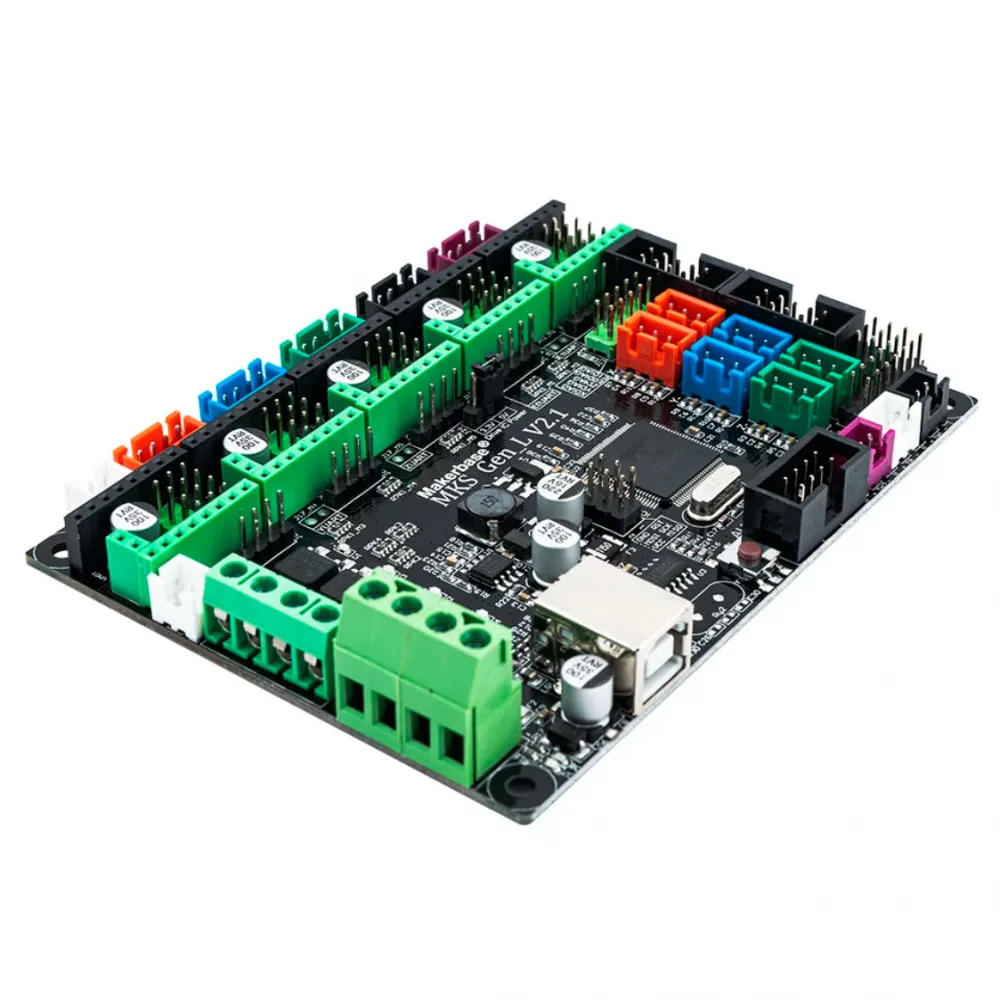
Connections and specifications
| Item | V2.1 configuration |
|---|---|
| Microcontroller | 8-bit ATmega2560 at 16 MHz; 5 V logic |
| Main power | 12 or 24 V DC; observe polarity and each load's voltage rating |
| Stepper drivers | Five X, Y, Z, E0 and E1 sockets; drivers not included |
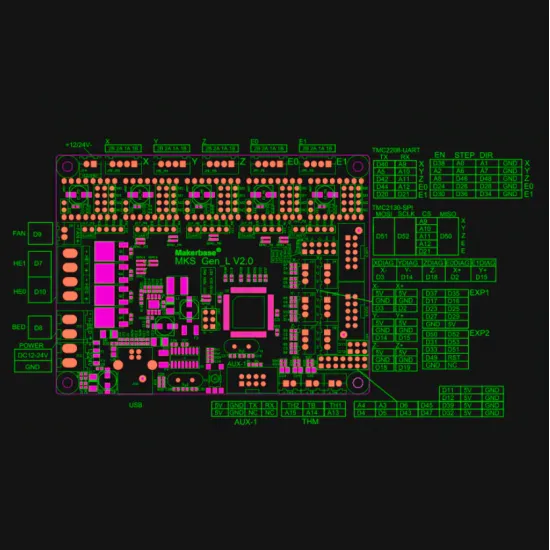
| Heaters and fan | Bed D8, E0 hotend D10, E1 hotend D7 and fan D9 |
| Temperature | Three inputs: TH1 A13, bed TB A14 and TH2 A15; select the actual sensor in firmware |
| Endstops | X−/X+, Y−/Y+ and Z−/Z+ connectors |
| Displays | EXP1/EXP2 for a compatible LCD and AUX-1 for a compatible serial TFT |
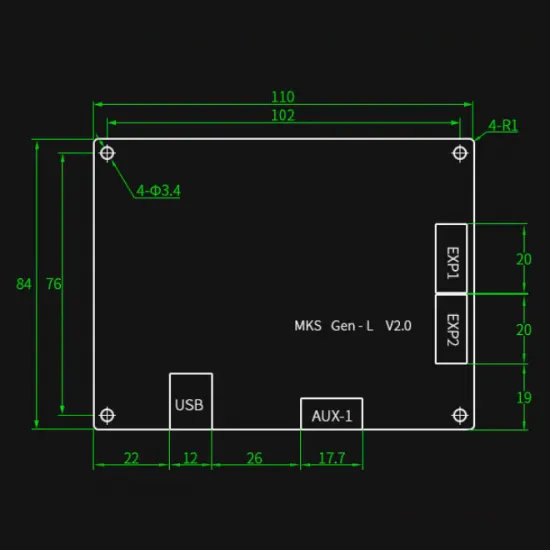
| PCB size | 110 × 84 mm; 102 × 76 mm mounting centres; four Ø3.4 mm holes |
The sockets accept StepStick-family modules, but physical fit alone does not guarantee operation: orientation, logic voltage, jumpers and UART/SPI/DIAG signals depend on the driver. For a basic setup, consider the A4988 in STEP/DIR mode. The board documents UART with a correctly configured MKS TMC2209 V2.0; other TMC2209 modules require their own pinout check. Makerbase also documents TMC2208 UART and TMC2130 SPI with suitable module variants.
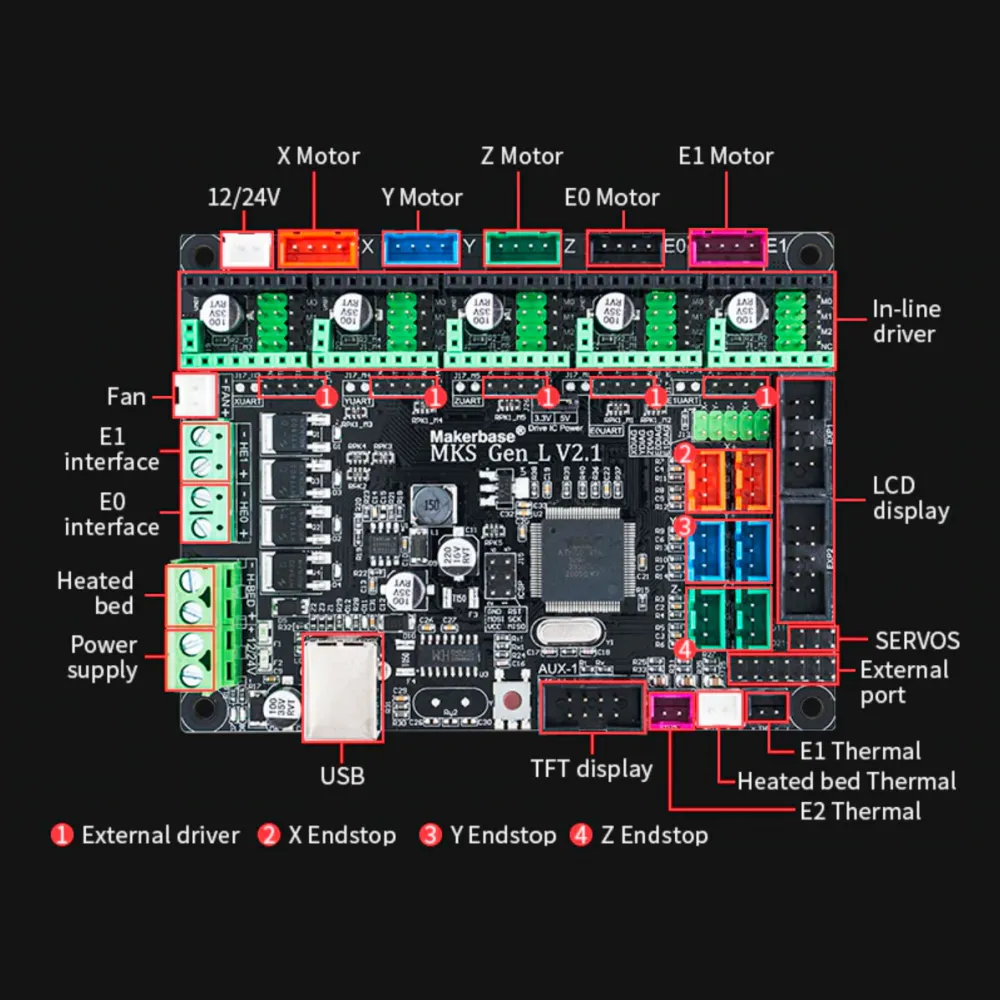
Why V2.1 is not V2.0
On V2.1, Makerbase moved E1 driver UART reception and SPI chip select to D12. The servo function previously on D12 moved to D21. V2.1 also adds a 3.3/5 V driver-IC power selector. When wiring E1, a probe or an intelligent driver, use the official V2.1 pinout, not a Gen_L V1/V2.0 diagram.
Getting started with Marlin
- Select
BOARD_MKS_GEN_L_V21in the Marlin project and a build environment for ATmega2560. Do not flash firmware compiled for a different board. - Configure the actual printer: extruder count, axis drivers, steps, endstops, motor direction, travel limits, exact thermistor types, heater outputs, thermal protection and any display.
- For TMC2209 UART, set the jumpers following Makerbase's instructions for the selected module and define the driver type in Marlin, for example
X_DRIVER_TYPE TMC2209for X. Choose current for the motor and cooling; a sample value is not universal. - With main power connected, check TMC communications using
M122after enablingTMC_DEBUG. USB alone may power logic without proving the motor driver operates. - Test endstop states before homing; check plausible temperature readings and correct heater outputs before applying heat.
TMC2209 sensorless homing is an advanced setup requiring a suitable module, DIAG routing, the 3.3 V selector according to Makerbase and machine-specific sensitivity calibration. Do not treat it as an automatic replacement for a physical endstop.
What about Klipper?
The board can serve as an AVR microcontroller with a separate host computer running Klipper. Firmware must be built for ATmega2560 and the machine needs its own printer.cfg; a generic Gen_L V1 configuration is not verified for V2.1. Makerbase maps Arduino pin numbers to AVR port names used by Klipper: for example bed PH5, main hotend PB4, fan PH6 and main thermistor PK5. E1 TMC2209 UART reception is PB6 on this revision.
Before moving or heating, check all pins against the official diagram, your configuration and actual wiring. Features, limits and sensors belong to the printer; there is no universal printer.cfg for a standalone board.
Displays, integration and limits
Compatible graphic LCDs use EXP1/EXP2 with correct orientation and firmware. A serial TFT such as the MKS TFT35 uses AUX-1; do not confuse it with an SPI display for a Klipper host. The RAMPS-like architecture can help when rebuilding a Prusa i3/P3Steel-derived printer, but it is not a guaranteed mechanical or pin-for-pin replacement. Check mounting, voltage, connectors, drivers and firmware.
If a printer requires more than five independent drivers, specific expansion hardware or a 32-bit controller, this board may not be suitable. A standard Voron 2.4, for example, needs more independent motor channels than the five sockets on this board.
Electrical safety
- Always disconnect power before fitting or removing drivers, motors, probes or wires. Observe module orientation.
- A 24 V board input does not make a 12 V bed, fan or heater safe at 24 V. Check every load separately.
- Size the power supply, fuses, wires, terminals and switching stage for actual current. A MOSFET's component rating is not the whole board's current rating; use a suitable external stage for high-power beds when needed.
- Enable and verify sensor-failure and thermal-runaway protection. Check endstops, motor direction and temperature readings before homing or extended tests.
Is it for you?
It is for you if you want a 12/24 V AVR controller for an FDM project with up to five independent drivers and are prepared to configure Marlin or adapt Klipper. It is not for you if you need a 32-bit board, built-in drivers or a drop-in replacement without rewiring and firmware work.
Contents: one Makerbase MKS Gen_L V2.1 board. Drivers, display, power supply, sensors and printer wiring are selected separately.