

- Stock: 7
- Model: Soldador-60W
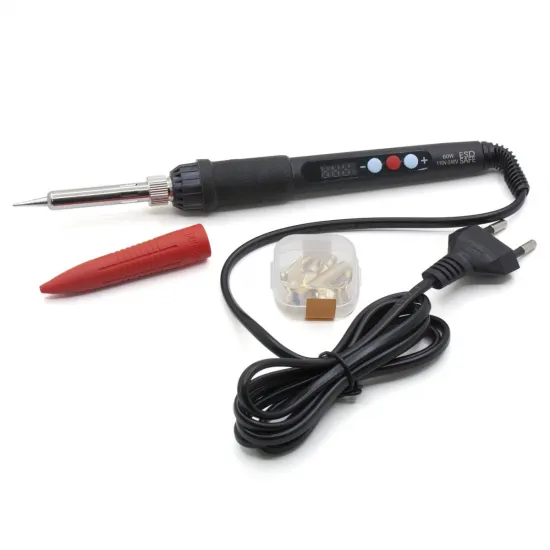
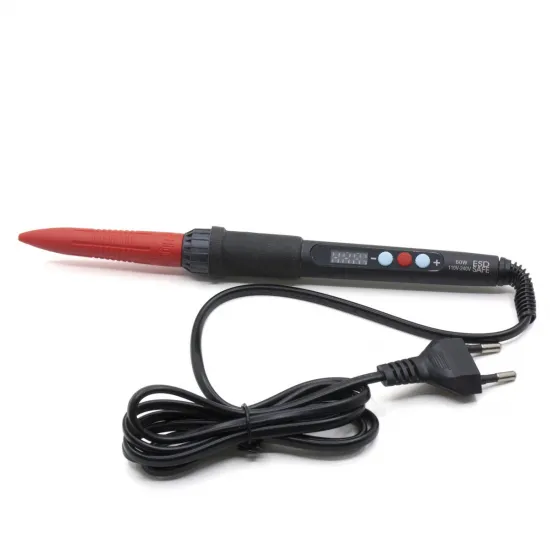
A 60W digital electric soldering iron with a display and selectable temperature from 180 to 500°C. Its controller is built into the handle, allowing heat adjustment without a separate soldering station.
It is a practical tool for soldering wires, connectors and electronic components, maintaining 3D printers and completing small DIY jobs. It can also be combined with our dedicated tips for softening, reshaping and repairing 3D-printed parts.
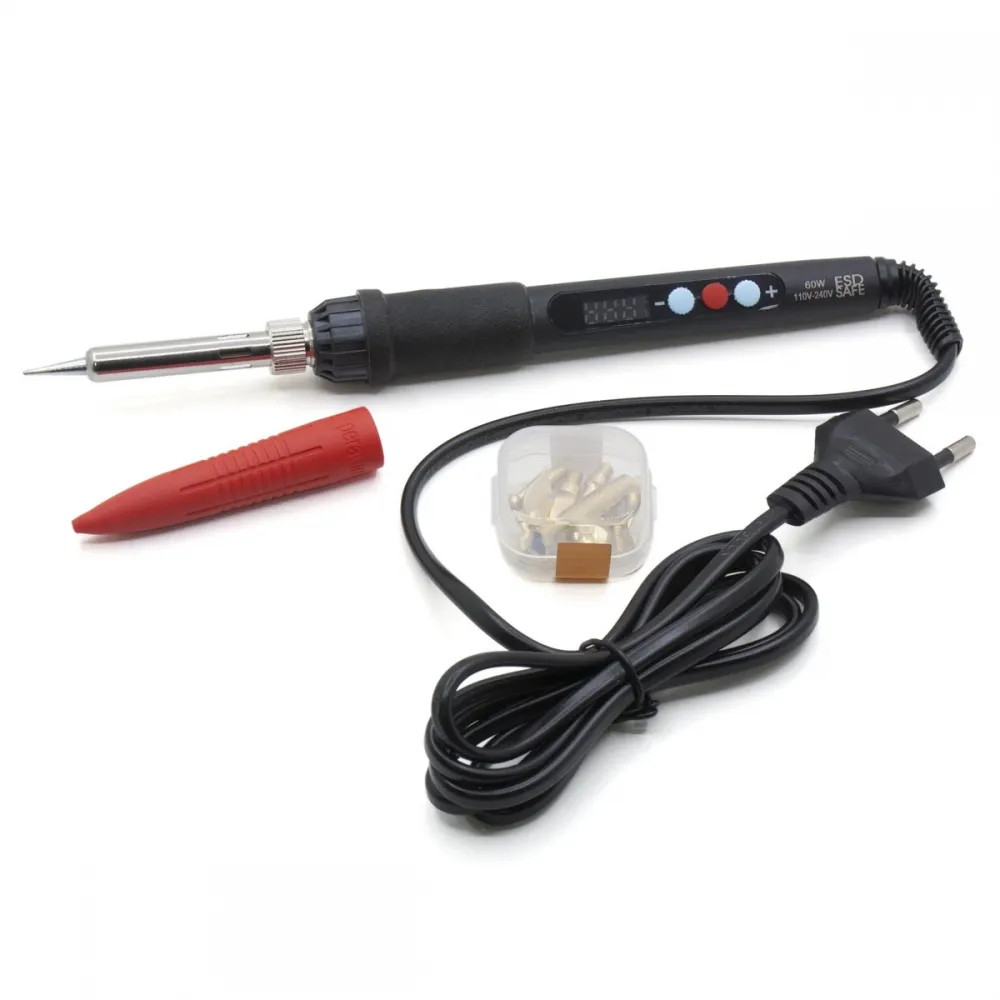
Specifications
| Rated power | 60W |
|---|---|
| Selectable temperature | 180–500°C |
| Input marked on the tool | 110–240V AC |
| Plug | European two-pin plug |
| Display | Digital display; Celsius or Fahrenheit |
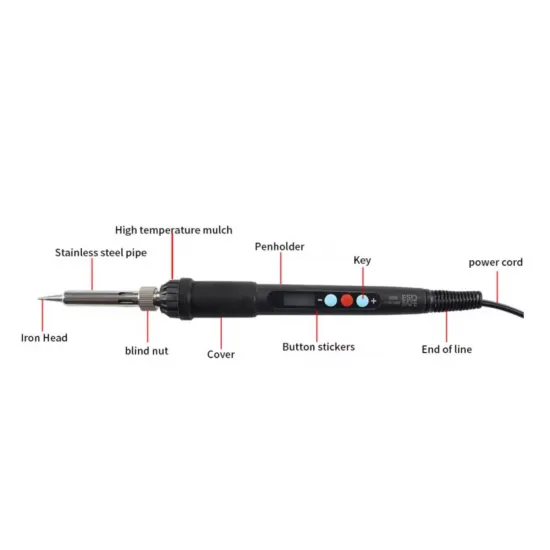
| Controls | Three buttons including increase and decrease |
| Cable length | 145cm |
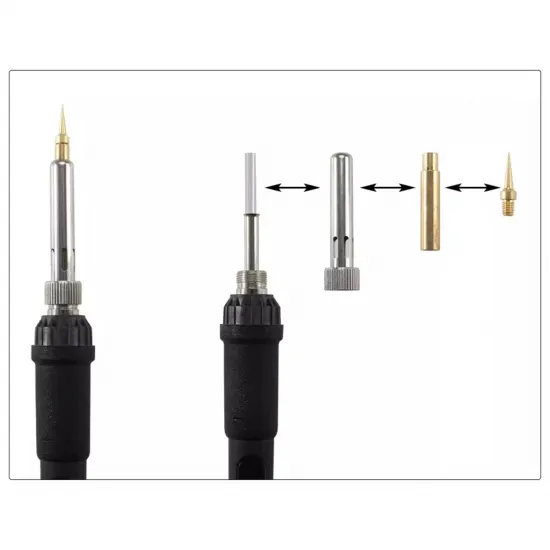
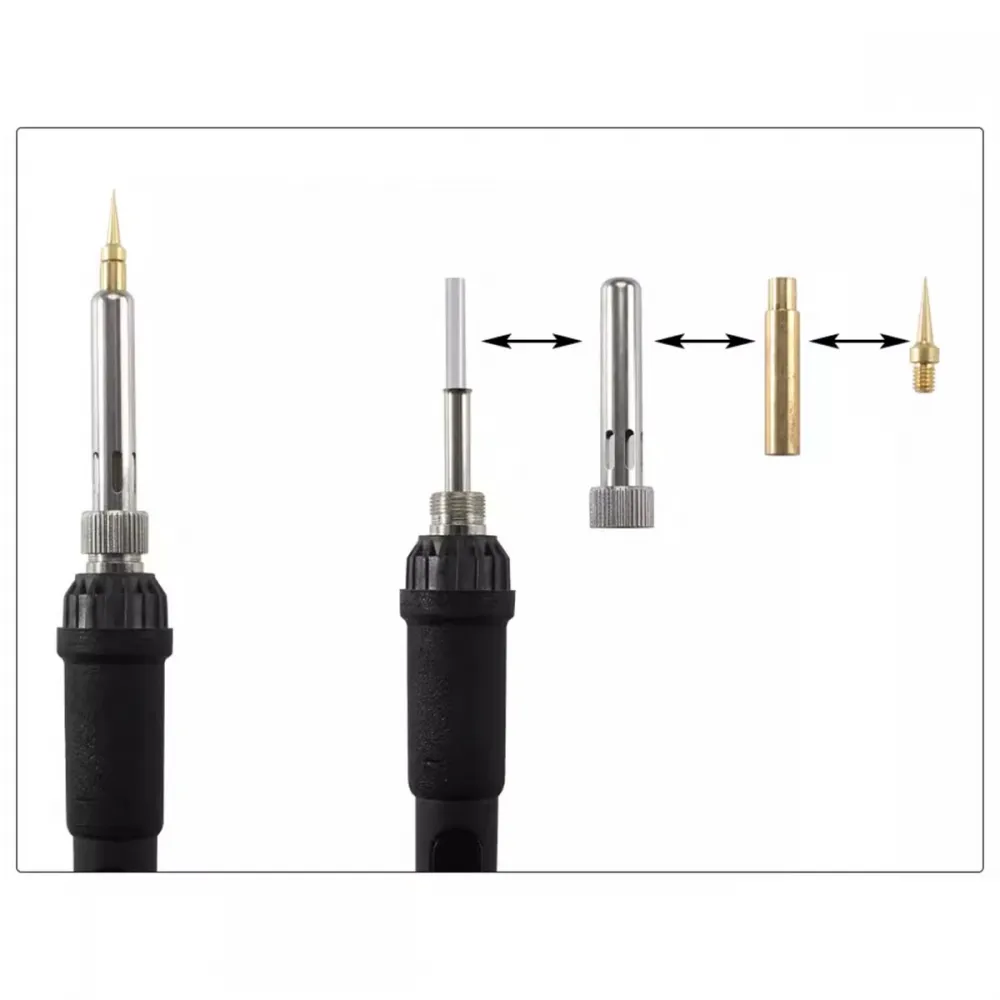
| Tip retention | Metal sleeve and knurled retaining collar |
The displayed value is the temperature selected on the controller. This tool is not supplied with a calibration certificate, so it should not be used as a measuring instrument or assumed to provide a specific metrological accuracy.
Interchangeable tips
To remove the conventional tip, unscrew the knurled collar and remove the metal sleeve. Always perform this operation with the iron unplugged and completely cold; refit and secure every part before reconnecting it.
Shaping and repairing printed parts
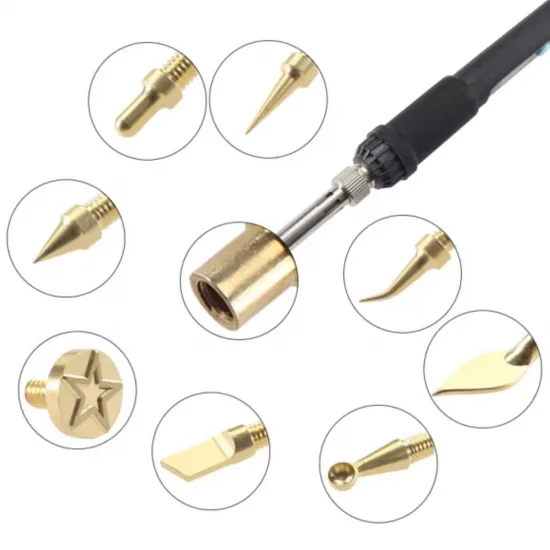
The eight-tip kit for shaping and repairing plastic is designed for this soldering iron and includes the required adapter. It transfers heat locally to:
- soften and reshape an area of a printed part;
- correct minor distortion or burrs;
- profile edges, grooves and recesses;
- smooth a joint or move softened material;
- perform local repairs with compatible filler material.
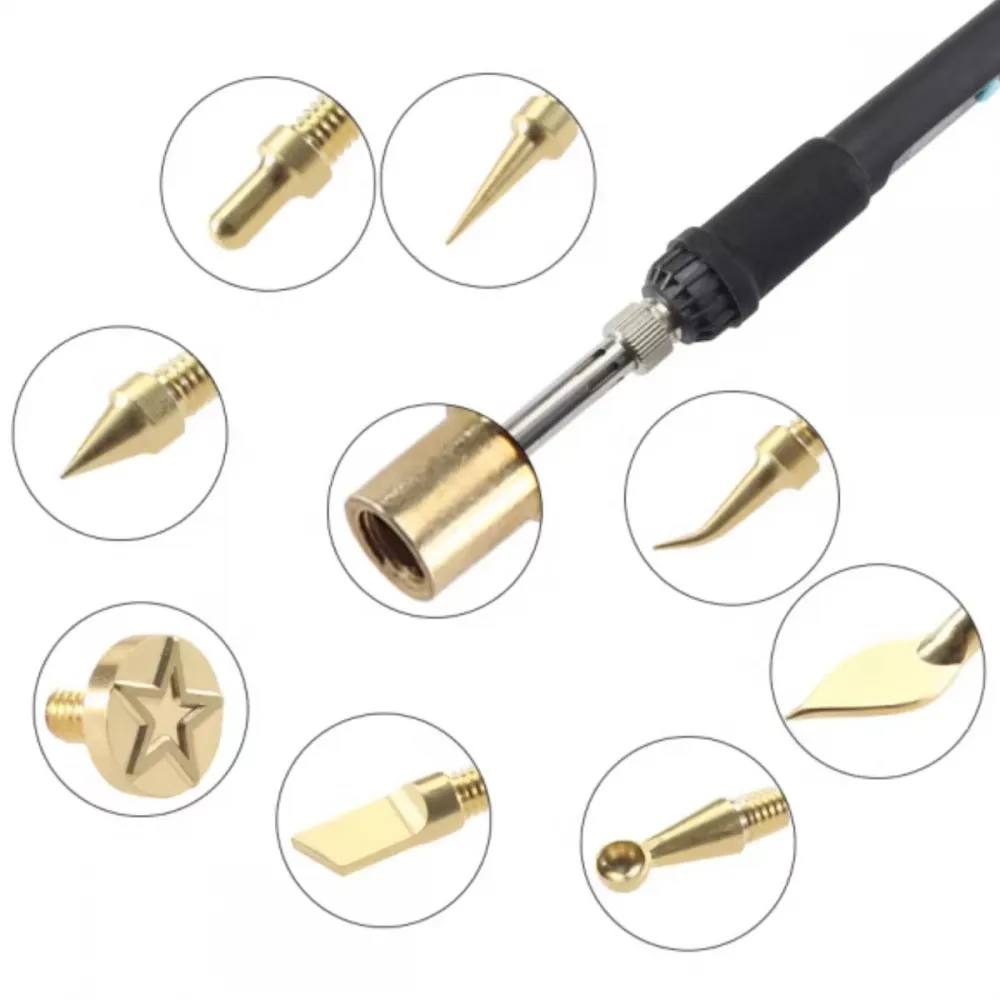
The eight plastic-shaping tips are sold separately. Start at the lowest temperature, test on a printed offcut made from the same material and use brief contact. Thermal repair locally changes the geometry and structure of the plastic, so it should not be assumed to restore the original strength of the part.
Electronics soldering guidance
- Select a tip suited to the joint size so that heat can be transferred without prolonged contact.
- Start at a moderate temperature compatible with the solder alloy and increase it only when necessary.
- Keep the tip tinned and clean it with a suitable material to protect its surface.
- Do not use a plastic-contaminated tip for electronics: residue interferes with tinning and produces fumes when reheated.
- Disconnect power from the circuit before working on it.
Package contents
- 1 digital 60W electric soldering iron with cable and European plug.
- Installed tip and the assortment of small soldering tips shown in the gallery.
- 1 red cap to protect the tip during transport or cold storage.
Stand, solder, fume extractor and plastic-shaping tip kit are not included.
Safety
- Work in a well-ventilated area or use fume extraction.
- Do not heat plastics of unknown composition.
- Keep the cable away from the tip, hot surfaces and sharp edges.
- Do not use the tool near liquids or with wet hands.
- Unplug it after use and leave it to cool in a safe place.
This soldering iron is for you if
- You want a compact temperature-adjustable iron without a separate station.
- You carry out occasional electronics soldering, wiring or maintenance.
- You want to use the dedicated tips for shaping printed parts.
This soldering iron is not for you if
- You need a calibrated professional station with documented control and thermal recovery.
- You need to measure or certify the actual tip temperature.
- You do not have ventilation or a safe stand for the hot tool.