

- Stock: 1
- Model: K-Touch-BTT

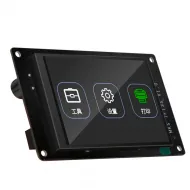
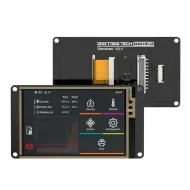
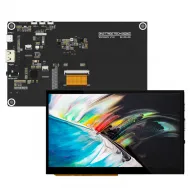
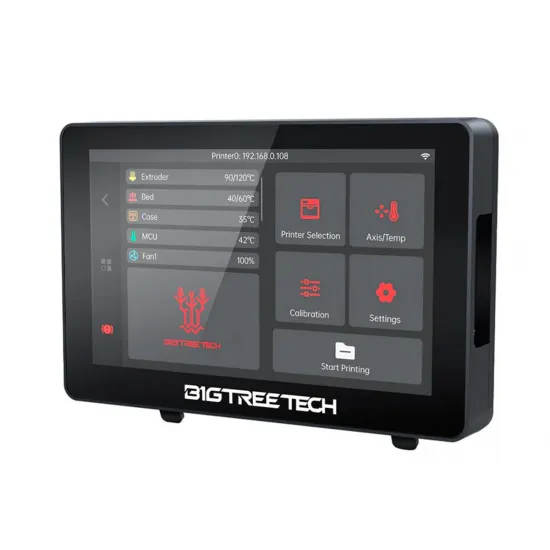
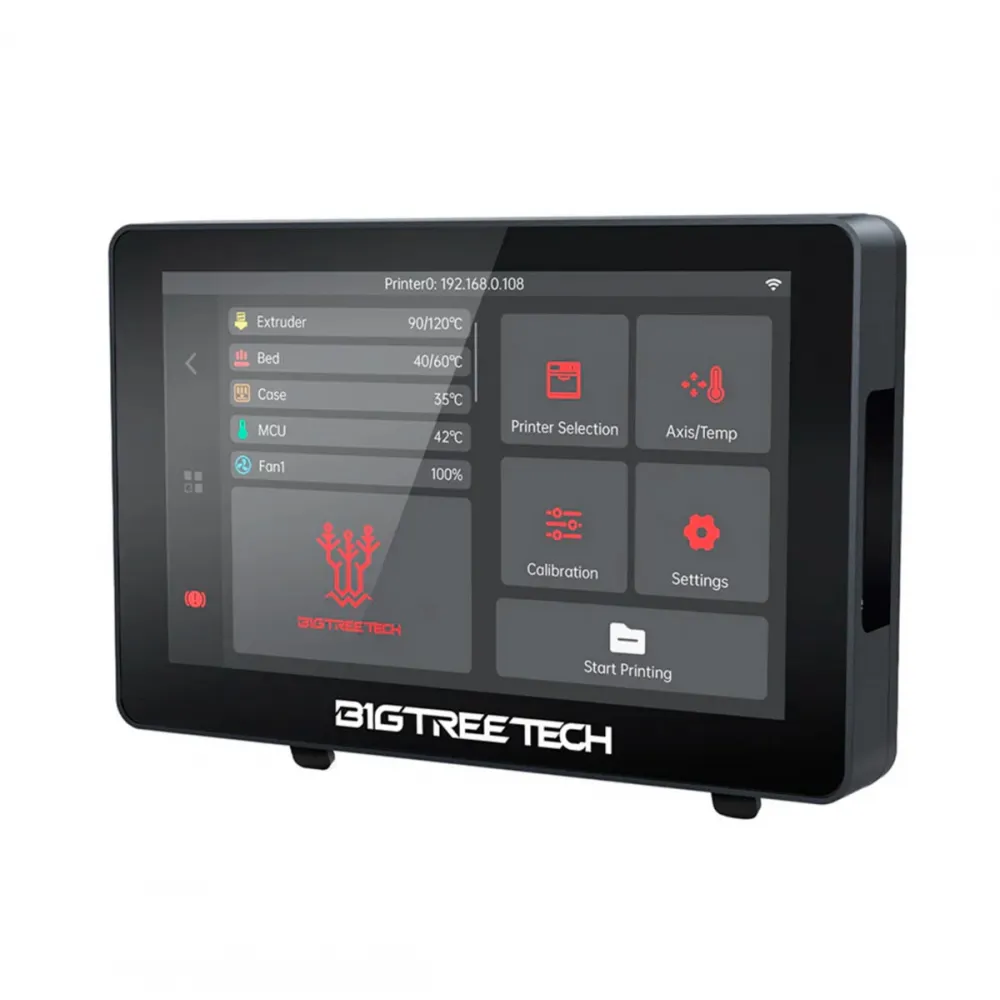
The BIGTREETECH K-Touch V1.0.1 is a 5-inch wireless touchscreen for controlling 3D printers running Klipper and Moonraker over the local network. It displays temperatures and status, moves axes, extrudes filament, starts files, provides common calibration tools and stores up to 50 printers for quick switching from one device.
It is particularly useful in workshops with several machines or when adding portable physical controls without fitting a wired screen to every printer. K-Touch is a network client: it does not replace the Linux computer, Raspberry Pi, CB1/CB2, Moonraker or the printer controller board.
What you can control
- Store, select and switch between up to 50 Klipper printers.
- Read live temperatures and adjust the extruder, bed, chamber and fans when properly configured.
- Home the machine, move X/Y/Z, select movement increments and release motors.
- Extrude or retract filament with adjustable distance and speed.
- Check X, Y and Z endstop status.
- Start levelling, calibrate Z offset and run PID autotune for the hotend or bed.
- Browse files with thumbnails and start, pause or stop prints.
- Display Klipper errors and send
RESTARTorFIRMWARE_RESTART. - With firmware V1.1.0: Klipper console, live flow and speed control, clock, widgets and temperature graphs.
Specifications
| Hardware revision | K-Touch V1.0.1 |
|---|---|
| Processor | ESP32-S3R8, dual-core 32-bit Xtensa LX7, up to 240 MHz |
| Memory | 8 MB PSRAM and 16 MB flash |
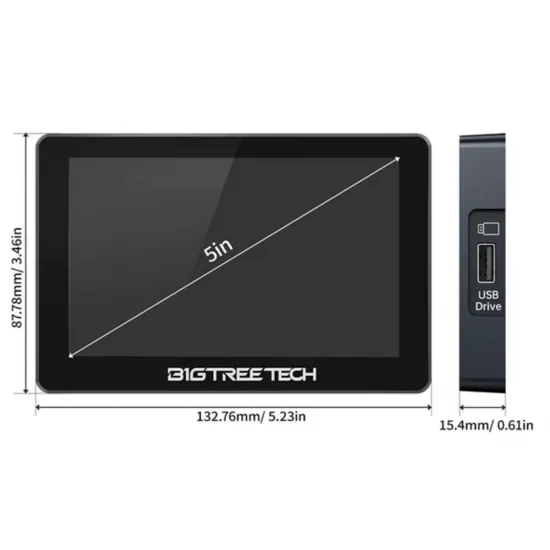
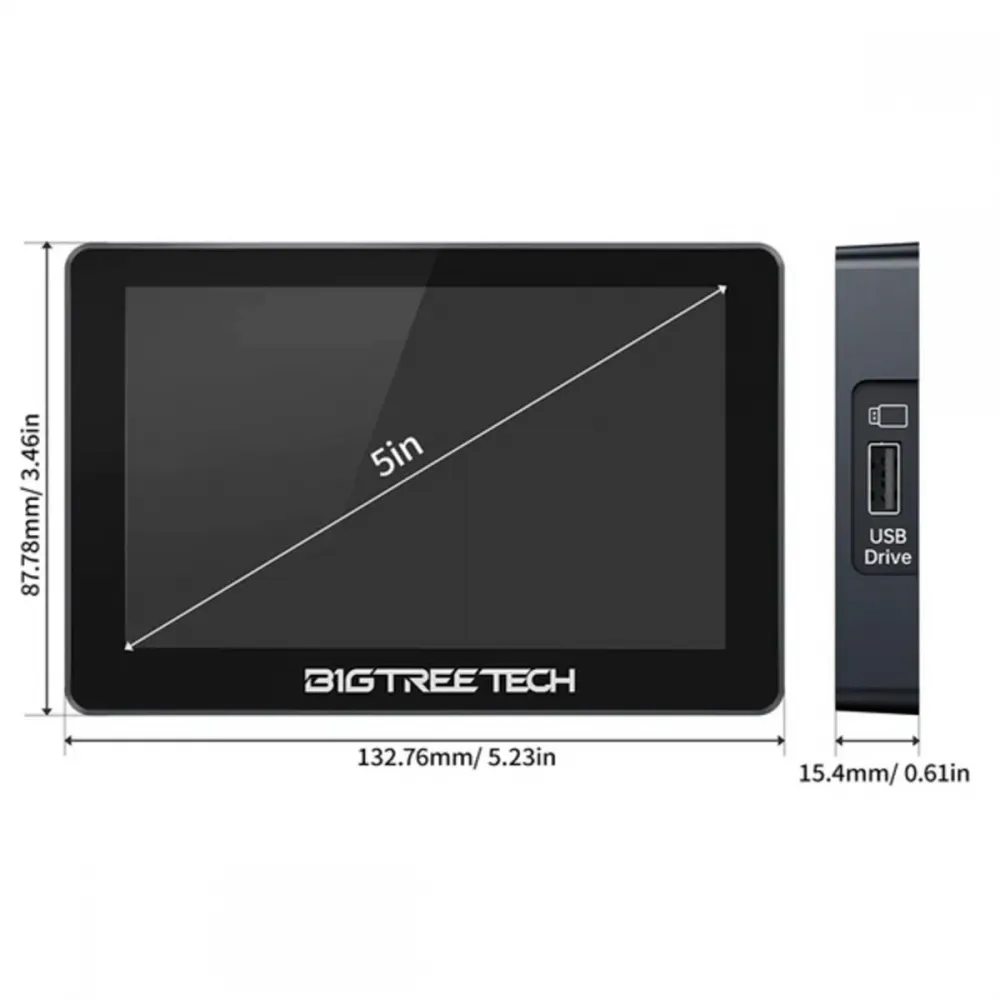
| Display | 5″ IPS, 800 × 480 px, 16.7 million colours |
| Connectivity | 2.4 GHz Wi-Fi, IEEE 802.11 b/g/n |
| Stored printers | Up to 50 |
| Fixed power | 5 V DC through USB-C and magnetic dock |
| Typical battery life | 20–30 minutes depending on brightness and use |
| Charging time | Approximately 1.2 hours |
| Documented current | 0.6 A with the screen on and battery full; while charging, up to 1.25 A on early units or 0.95 A on units produced after May 2024 |
| Interfaces | USB for FAT32 drives and 3MF files; I2C reserved for sensors when firmware support is available |
| Operating temperature | 0–60 °C |
| Dimensions | 132.76 × 87.78 × 15.4 mm |
Klipper and Moonraker compatibility
Compatibility does not depend on one specific controller model. K-Touch can be used with a Voron, RatRig, HPRO, Ender, CR-10, modified Prusa or another machine provided that it has working Klipper and Moonraker services, is reachable on the same 2.4 GHz local network and exposes the functions used by the display.
Printers can be found by scanning or added manually using their IP address and port. The documentation uses port 80 where a web proxy is present and identifies 7125 for direct Moonraker scanning from firmware V1.0.1. Use the port actually exposed by each host; there is no universal value for every installation.
A system such as the BIGTREETECH Manta M8P V2 with a BIGTREETECH CB1 V2.2 Linux module can provide both the controller and Klipper host, but it is not mandatory. K-Touch can also connect to compatible Raspberry Pi, CB2, BTT Pi and other host installations.
Initial connection
- Power on K-Touch and select the language.
- Connect it to the same 2.4 GHz Wi-Fi network as the Klipper host.
- Scan for printers or manually enter the IP address and port.
- Select the detected printer and verify that the displayed temperatures and status match the intended machine.
- Before moving or heating anything, perform the first test with the printer clear and supervised.
If a sensor is not displayed correctly on the home page, BIGTREETECH specifies a maximum 30-character sensor name in the Klipper configuration. If a printer cannot be found, check the Wi-Fi band, router client isolation, IP address, port, Moonraker and local access rules.
Battery, magnetic dock and mounting
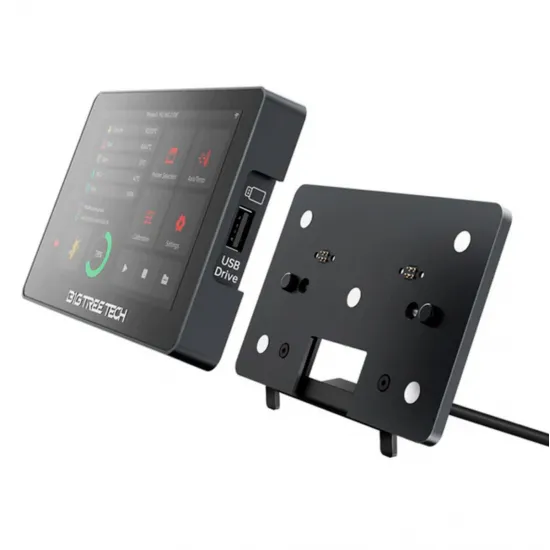
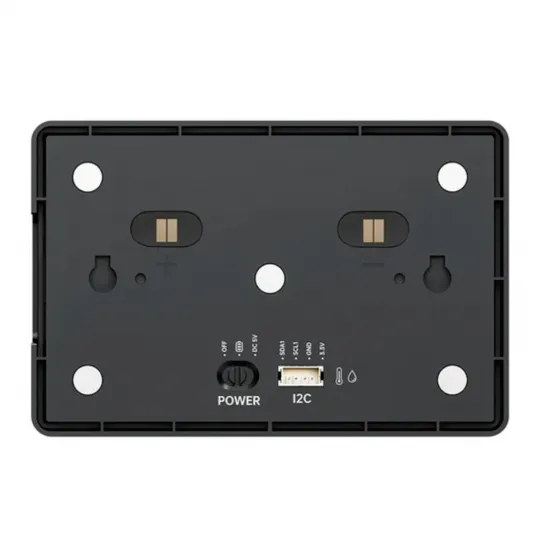
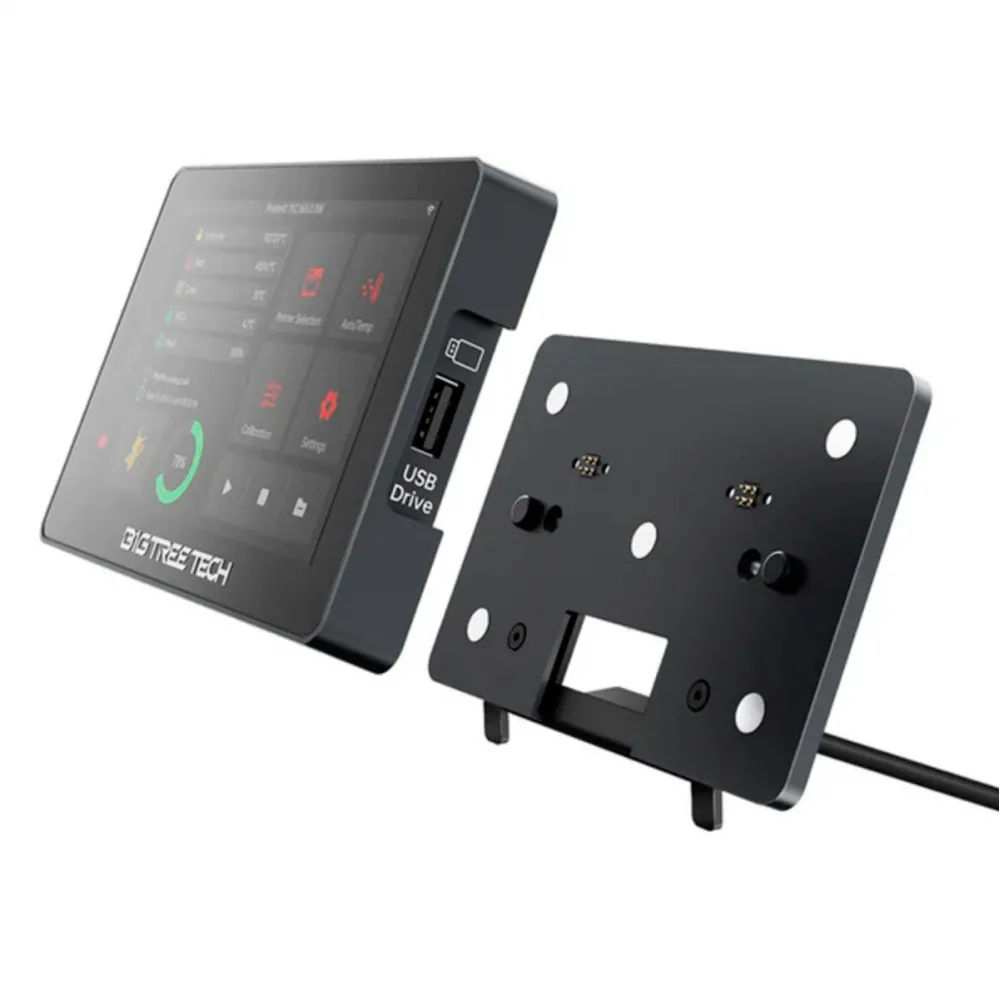
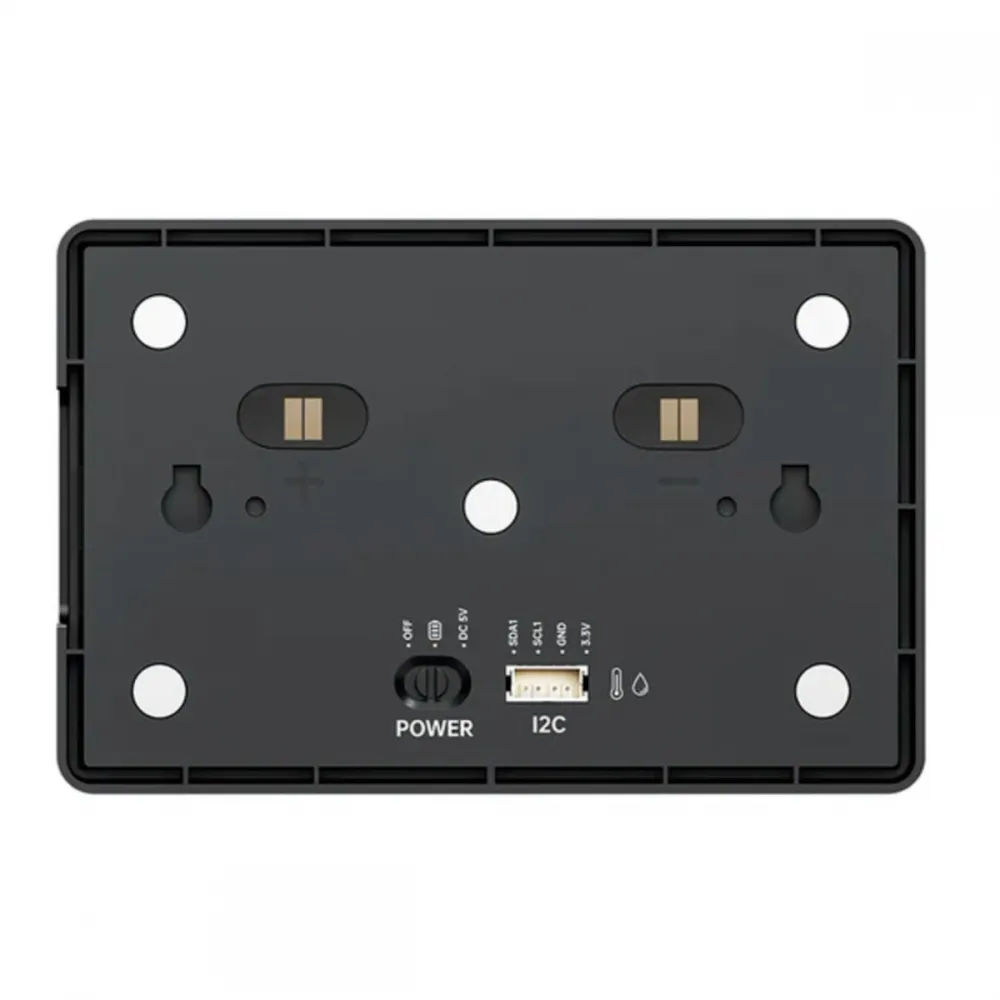
The rear switch selects battery power, off or direct 5 V power. The battery is intended for short trips around the workshop: rated operation is approximately 20–30 minutes and may decrease at higher brightness. For regular use, leave it on its dock and select DC 5V. BIGTREETECH recommends this mode when the printer is frequently switched on and off because it avoids repeatedly cycling the battery.
The magnetic dock makes the display easy to remove and includes hot-plug protection. Use a 5 V USB supply with enough current margin for charging. Do not power the I2C interface or treat the internal 3.3 V logic rail as a user power input.
Files, thumbnails and USB
The display can show print files, estimated duration and thumbnails. The current guide recommends keeping the list manageable and warns that excessive G-code files can exhaust memory. As a conservative working limit, keep the first 50 files visible and delete or archive older jobs if the list no longer loads correctly.
The USB port accepts FAT32 drives, and firmware support includes 3MF files. The ability to read a container does not guarantee that every 3MF can be printed: it must contain data suitable for the selected machine and workflow.
Firmware and OTA updates
The physical unit is revision V1.0.1, while its official firmware has continued to evolve. At the time of writing, BIGTREETECH publishes firmware V1.1.0, adding the Klipper console, flow and speed adjustment, widgets, a clock, temperature graphs and Panda PWR support.
- Record the IP addresses, ports and settings you need to retain.
- Download the correct file from the official documentation.
- Connect K-Touch and the computer or phone to the same LAN.
- Open the IP address shown by K-Touch in a browser and use Update FW.
- If the release also changes graphical resources, upload the IMG through Update File.
- After installing V1.1.0, perform the factory reset required by BIGTREETECH and configure the display again.
K-Touch can also receive Panda-Touch firmware, but switching firmware families erases stored data and changes its purpose towards Bambu Lab printers. Back up the required information and follow the official file set and update order exactly.
Limits and safety
- Network, host and Moonraker must remain available; this is not an independent wired controller.
- Only 2.4 GHz Wi-Fi is specified; 5 GHz networks are not supported by the published specification.
- Quick temperature buttons are generic interface presets, not safe profiles for every material, hotend or bed.
- The I2C connector is reserved for sensors that receive firmware support; no specific sensor is currently guaranteed.
- Displayed functions depend on the printer configuration and the capabilities exposed through Klipper/Moonraker.
- The on-screen emergency button sends a network command. It does not replace a physical emergency stop or power disconnect because it depends on K-Touch, Wi-Fi, host and software.
This is for you if
- You want a portable touchscreen for one or several Klipper printers.
- Your machines share a local network and Moonraker is reachable.
- You value access to common controls without opening a phone or computer.
- You want a magnetic dock, short-term battery operation and mounting bracket included.
This is not for you if
- Your printer runs only Marlin or RepRapFirmware.
- You require a display connected directly through EXP1/EXP2, HDMI or the printer MCU.
- You do not have a Klipper/Moonraker host or the network blocks device-to-device communication.
- You need an independent hard-wired emergency stop system.
Package contents
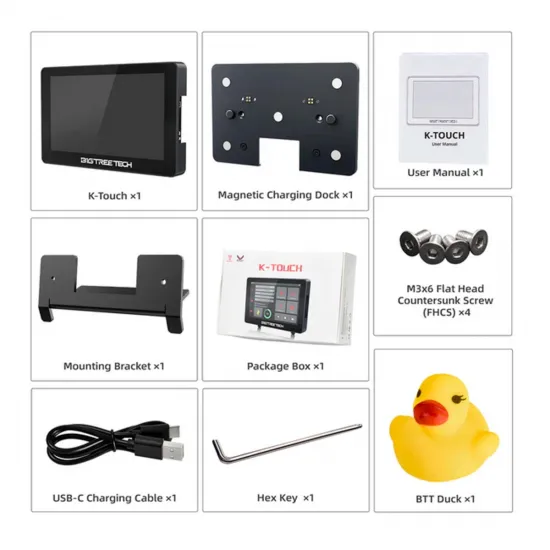
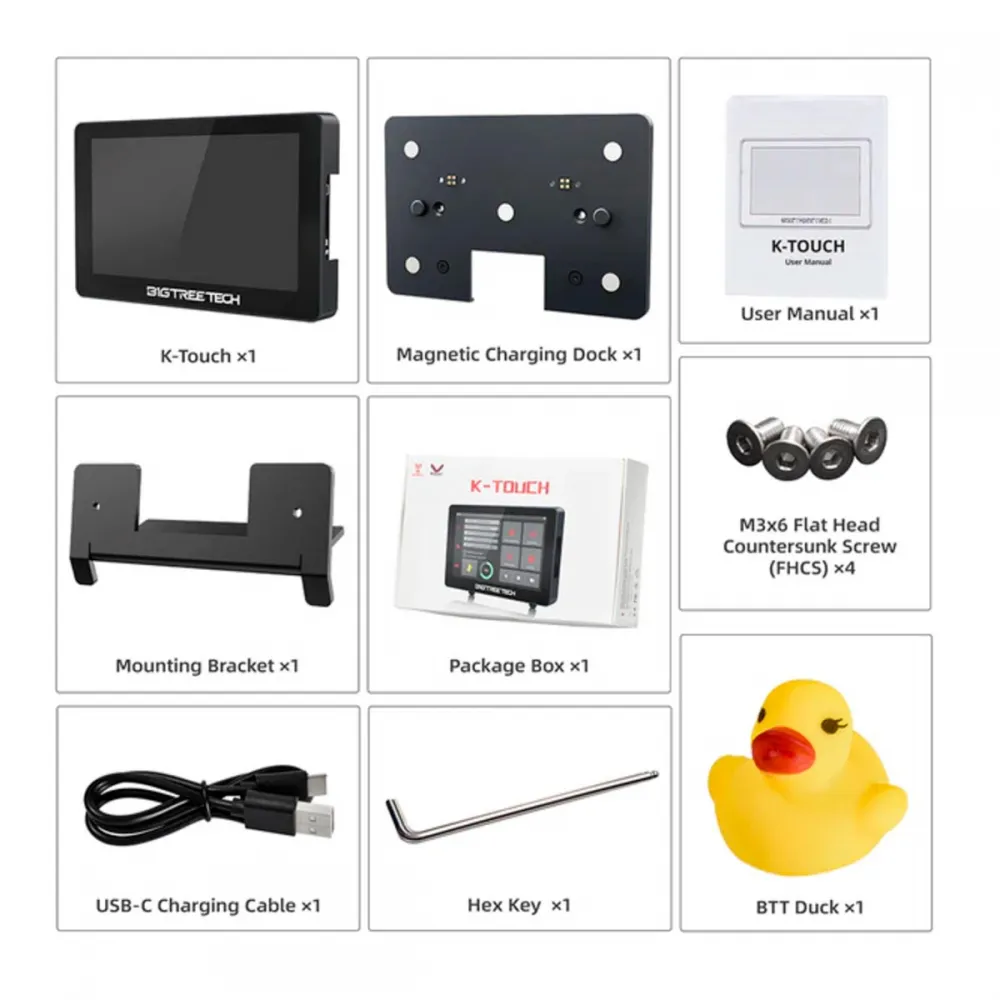
- 1 × BIGTREETECH K-Touch.
- 1 × magnetic charging dock.
- 1 × mounting bracket.
- 1 × USB-C cable.
- 4 × M3 × 6 countersunk screws.
- 1 × hex key.
- 1 × BTT duck.
See the official BIGTREETECH K-Touch repository for current firmware and CAD/STL resources. Before installing a release, verify that every filename belongs to K-Touch and retain a copy of any data that may be erased.